<img height="1" width="1" style="display:none" src="https://www.facebook.com/tr?id=449369752787427&amp;ev=PageView&amp;noscript=1"> Skip to main content

Turn Google searches into booked appointments. Automatically.

Flex integrates Reserve with Google into your Open Dental schedule, so patients can book straight from Google Search and Maps while your calendar stays accurate in real time.
Live in two weeks · No data migration · Complimentary team training
Reserve with Google for Open Dental practices online scheduling

WHAT IT DOES

Your next new patient is already searching. Make it easy for them to book.

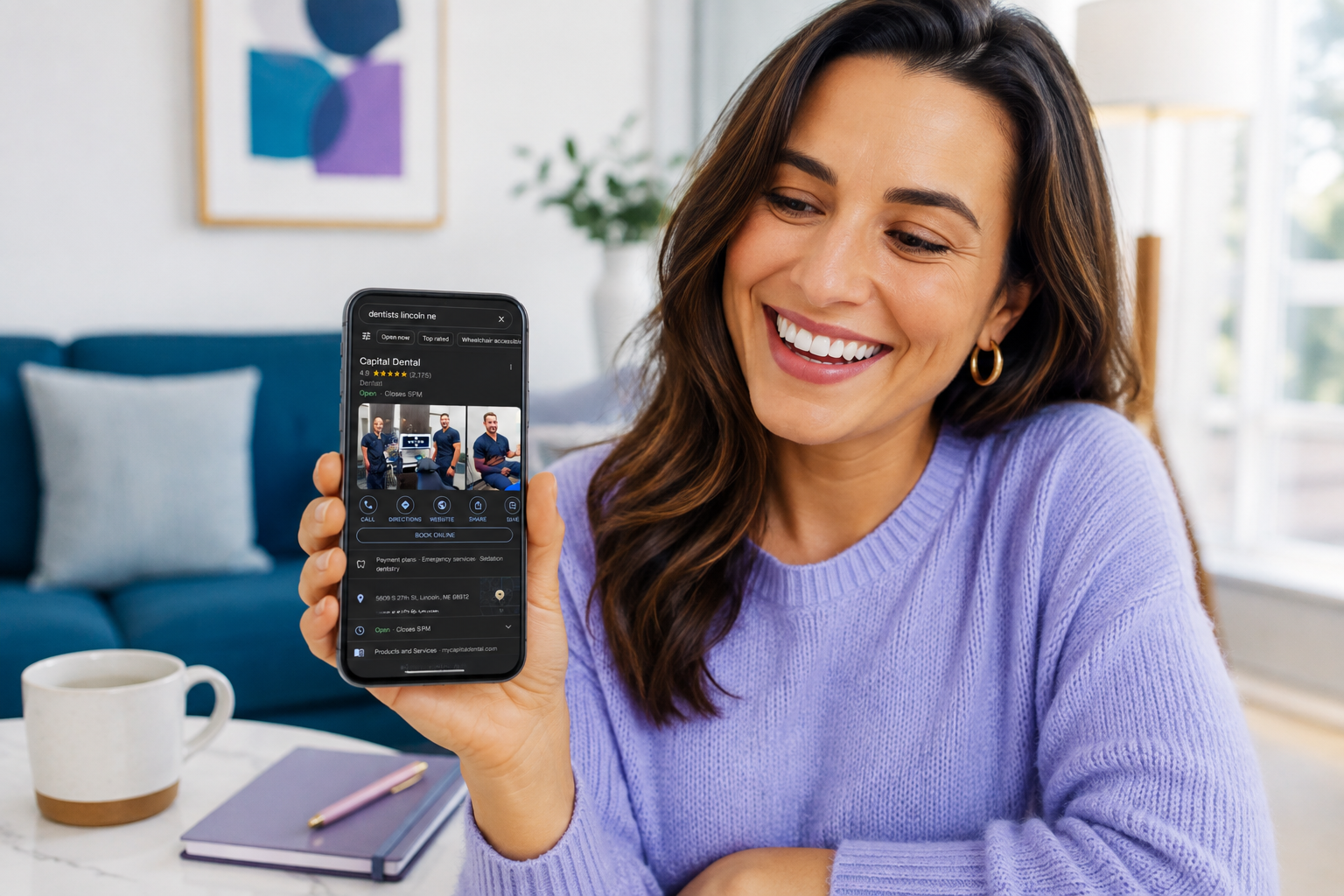
When someone searches “dentist near me,” the practice that lets them book instantly wins the appointment. Every extra step — finding a phone number, waiting for office hours — is a chance for that patient to click a competitor instead. Flex connects your Open Dental schedule to Reserve with Google, so a “Book Online” button appears right on your Google Business Profile.

Patients see real, live availability and can schedule a visit in a few clicks, day or night, without ever leaving Google. Because the connection is real-time, appointments booked through Google are written directly into Open Dental — no separate request queue to manage and no risk of double-booking a slot that already filled up.

Reserve with Google example for Flex Dental (1)

HOW IT WORKS

From a Google search to a confirmed appointment, in a few clicks.

  1. Flex publishes your real availability to Google

    Flex connects to your Open Dental schedule and shares your actual open appointment slots on your Google Business Profile, so what patients see on Google matches your calendar exactly.

  2. Patients book directly from Search or Maps

    A patient searching for a dentist sees a “Book Online” button, picks a service and a time, and confirms their appointment without leaving Google.

  3. The appointment lands in Open Dental instantly

    The booking syncs straight into your schedule in real time, so your team sees it immediately and that time slot is removed from availability everywhere else.

WHAT’S INSIDE RESERVE WITH GOOGLE

Everything you need to turn Google visibility into booked chairs.

Real-time two-way sync

Appointments booked on Google write into Open Dental instantly, and any change made in Open Dental updates availability on Google right away.

Configurable appointment types

Choose which services, providers, and time slots are open for online booking, so complex cases still get a personal touch.

24/7 booking availability

Patients can book after hours, on weekends, or the moment they finish a Google search, without waiting for your office to open.

WHY FLEX

Built exclusively for Open Dental. That's not a feature — it's the foundation.

Deeper than any integration

Flex doesn't connect to Open Dental — it works alongside it. Every action syncs automatically. Nothing to export, import, or manually update.

Built by people who used Open Dental

Flex was founded by a practicing dentist who ran her own Open Dental practice. Every feature was built to solve a real problem she lived.

Up and running in two weeks

~1 hour install. 2-hour complimentary team training. No downtime, no data migration. From demo to live without disrupting your practice.

Authorized
Integration Vendor

image-3

Ready to stop losing patients to the practice with the “Book Online” button?

Flex connects your Open Dental schedule to Reserve with Google so patients can book directly from Google Search and Maps, and your calendar stays accurate without extra work for your team.

Typically responds within 1 business day · No credit card required

FREQUENTLY ASKED QUESTIONS

Questions about FlexSchedule

Reserve with Google is a feature that lets patients book appointments directly from your Google Business Profile in Google Search and Google Maps. Instead of just seeing your practice’s information, patients see a “Book Online” button they can use right away.

Flex bridges the connection between Google and your Open Dental schedule. Your real-time availability is published to Google, and any appointment a patient books is written directly into Open Dental, keeping both systems in sync.

No. Flex keeps your Open Dental schedule and your Google availability synced in real time. Once a slot is booked, whether through Google or your front desk, it is removed from availability everywhere else.

Yes. Your practice decides which services, providers, and time slots are available for online booking through Google. You can keep more complex procedures off online booking and reserve them for a phone conversation.

No. Reserve with Google works with your existing Google Business Profile. It adds a direct booking option to the profile patients already find when they search for your practice, making it more actionable instead of replacing it.
Have more questions? Visit our Help Center